
US-Based Distributor
Wellington, Florida — serving US businesses, agencies & OEMs.
Send a Part Number
Search or send your list — obsolete & current GE Speedtronic, boards & controls.
24-Hour Quotes
US-based specialists reply within 24 hours.
Purchase Orders Welcome
POs accepted from qualified US buyers; cards too.














Secure & Protected • Purchase Orders Accepted

Genuine Products • Guaranteed Compatibility

Description
Cloud Ninjas' Dell PowerEdge R630 Specifications
Chassis
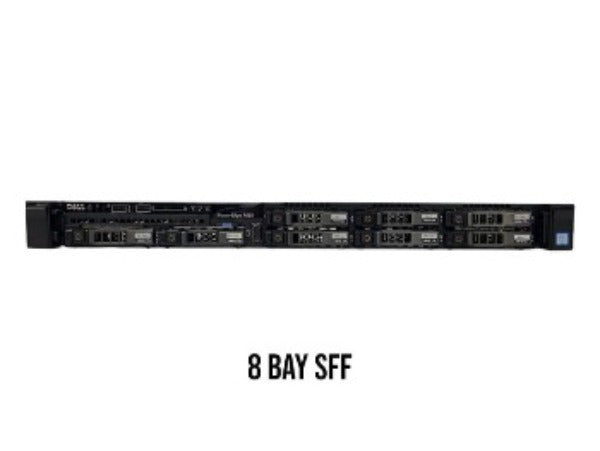
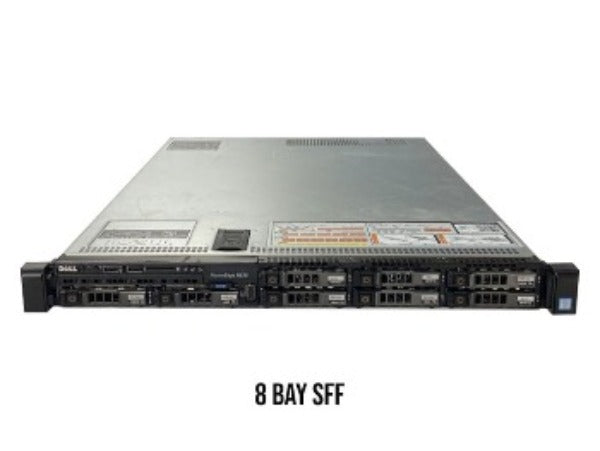
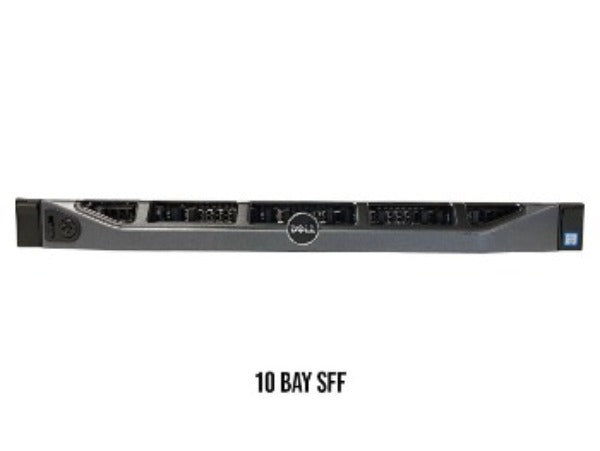
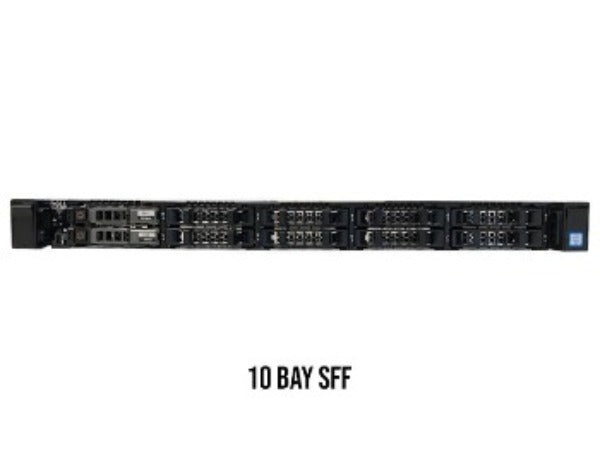
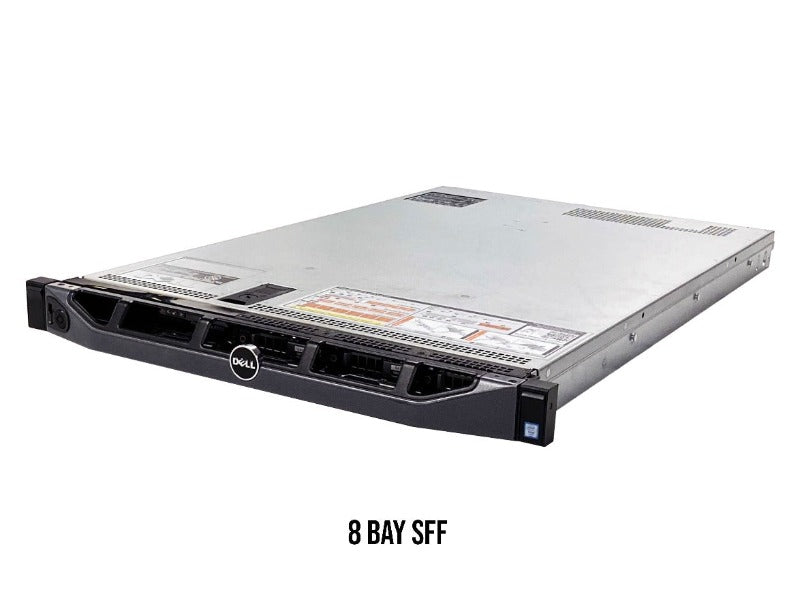
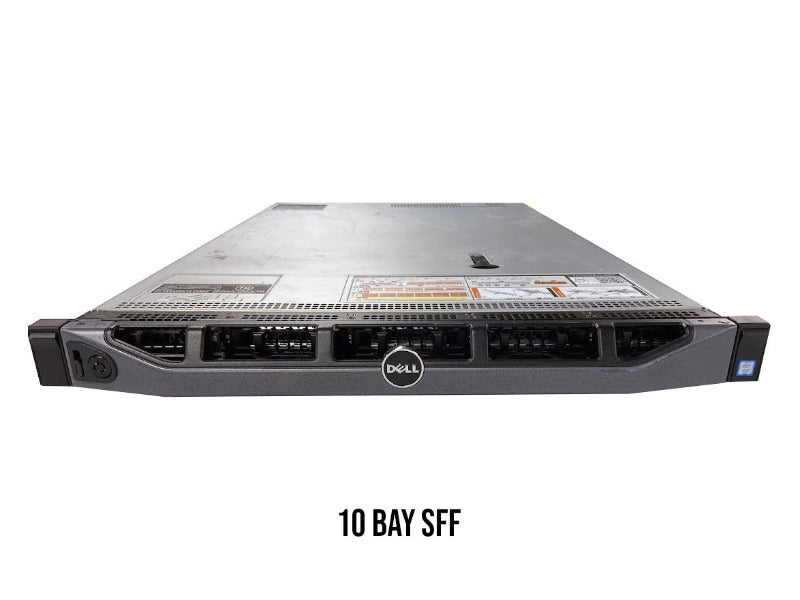
The Dell PowerEdge R630 server has a variety of different chassis options which are mainly defined by the total number of drive bays. Each R630 chassis option supports hot swap, meaning that drives can be added or removed while the system is powered on. There is an 8 bay SFF, 10 bay SFF, and a 24 bay 1.8” chassis option for the R630.
8 Bay SFF Hot-swap
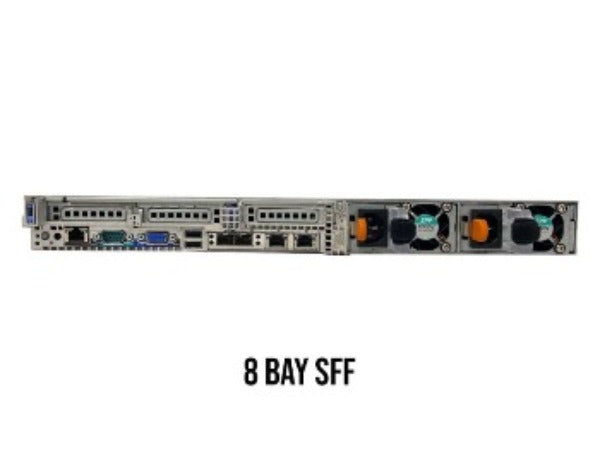
The 8 Bay chassis option is the most popular chassis style for the R630. The 8 Bay SFF hot swap R630 chassis supports a total of 8 2.5” hard drives and/or SSDs. There are 2 types of 8-bay chassis which are the two-riser chassis and the three-riser chassis. The two-riser chassis has 2 PCIe slots with 1 Full height riser and 1 half height riser. The three-riser chassis has 3 PCIe slots which comes with all half height risers.
10 Bay SFF Hot-swap
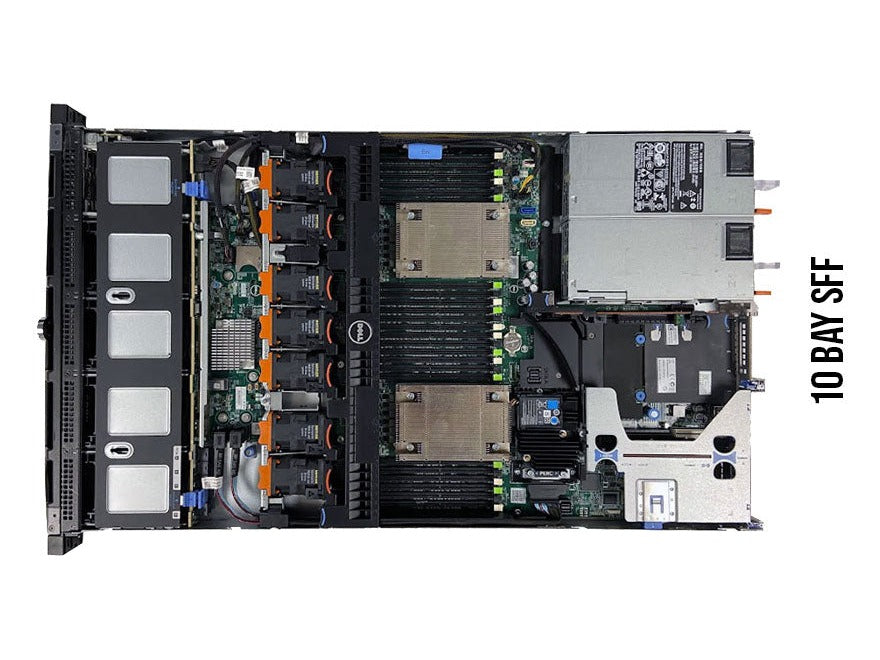
The 10 Bay SFF hot swap R630 chassis supports a total of 10 2.5” hard drives and/or SSDs. Unlike the 8 bay R630, the 10 bay chassis only has one variation which is the three-riser chassis. The three-riser chassis includes 3 PCIe slots and 3 half height risers. The risers are labeled riser 1 and riser 3. It is important to note that riser 3 has 2 risers on it and can be thought of as a “two-in-one”.
24 Bay 1.8” Hot-swap
The 24 bay option is a chassis that is very uncommon, but it is important to know that it is an option that exists. The 24 Bay 1.8” hot swap R630 chassis supports a whopping total of 24 1.8” hard drives and/or SSDs. Just like the 10 bay chassis, there is only one type which is the three-riser chassis. This option has 3 PCIe slots and 3 half height risers.
Processing Power
The Dell PowerEdge R630 server can handle a maximum of 22 cores per processor. The R630 has two LGA2011-3 CPU sockets, which means that this system utilizes Intel Xeon E5-2600 v3 or E5-2600 v4 series of processors. These two series of processors have support for virtualization.
Intel Xeon E5-2600 v3 Series Processors
| CPU | Step Code | Cores | Frequency |
|---|---|---|---|
| E5-2603v3 | SR20A | 6 | 1.60 GHz |
| E5-2608Lv3 | SR21P | 6 | 2.00 GHz |
| E5-2609v3 | SR1YC | 6 | 1.90 GHz |
| E5-2618Lv3 | SR200 | 8 | 2.30 GHz |
| E5-2620v3 | SR207 | 6 | 2.40 GHz |
| E5-2623v3 | SR208 | 4 | 3.00 GHz |
| E5-2628Lv3 | SR1XZ | 10 | 2.00 GHz |
| E5-2630v3 | SR206 | 8 | 2.40 GHz |
| E5-2630Lv3 | SR209 | 8 | 1.80 GHz |
| E5-2637v3 | SR202 | 4 | 3.50 GHz |
| E5-2640v3 | SR205 | 8 | 2.60 GHz |
| E5-2643v3 | SR204 | 6 | 3.40 GHz |
| E5-2648Lv3 | SR1XW | 12 | 1.80 GHz |
| E5-2650v3 | SR1YA | 10 | 2.30 GHz |
| E5-2650Lv3 | SR1Y1 | 12 | 1.80 GHz |
| E5-2658v3 | SR1XV | 12 | 2.20 GHz |
| E5-2658Av3 | SR27T | 12 | 2.90 GHz |
| E5-2660v3 | SR1XR | 10 | 3.30 GHz |
| E5-2667v3 | SR203 | 8 | 3.20 GHz |
| E5-2670v3 | SR1XS | 12 | 2.30 GHz |
| E5-2680v3 | SR1XP | 12 | 2.50 GHz |
| E5-2683v3 | SR1XH | 14 | 2.00 GHz |
| E5-2690v3 | SR1XN | 12 | 2.60 GHz |
| E5-2695v3 | SR1XG | 14 | 2.30 GHz |
| E5-2697v3 | SR1XF | 14 | 2.60 GHz |
| E5-2698v3 | SR1XE | 16 | 2.30 GHz |
| E5-2699v3 | SR1XD | 18 | 2.30 GHz |
Intel Xeon E5-2600 v4 Series Processors
| CPU | Step Code | Cores | Frequency |
|---|---|---|---|
| E5-2603v4 | SR2P0 | 6 | 1.70 GHz |
| E5-2608Lv4 | SR2P9 | 8 | 1.60 GHz |
| E5-2609v4 | SR2P1 | 8 | 1.70 GHz |
| E5-2618Lv4 | SR2PE | 10 | 2.20 GHz |
| E5-2620v4 | SR2R6 | 8 | 2.10 GHz |
| E5-2623v4 | SR2PJ | 4 | 2.60 GHz |
| E5-2628Lv4 | SR2NC | 12 | 1.90 GHz |
| E5-2630Lv4 | SR2P2 | 10 | 1.80 GHz |
| E5-2630v4 | SR2R7 | 10 | 2.20 GHz |
| E5-2637v4 | SR2P3 | 4 | 3.50 GHz |
| E5-2640v4 | SR2NZ | 10 | 2.40 GHz |
| E5-2643v4 | SR2P4 | 6 | 3.40 GHz |
| E5-2648Lv4 | SR2ND | 14 | 1.80 GHz |
| E5-2650Lv4 | SR2N8 | 14 | 1.70 GHz |
| E5-2650v4 | SR2N3 | 12 | 2.20 GHz |
| E5-2658v4 | SR2NB | 14 | 2.30 GHz |
| E5-2660v4 | SR2N4 | 14 | 2.00 GHz |
| E5-2667v4 | SR2P5 | 8 | 3.20 GHz |
| E5-2680v4 | SR2N7 | 14 | 2.40 GHz |
| E5-2683v4 | SR2JT | 16 | 2.10 GHz |
| E5-2687Wv4 | SR2NA | 12 | 3.00 GHz |
| E5-2690v4 | SR2N2 | 14 | 2.60 GHz |
| E5-2695v4 | SR2J1 | 18 | 2.10 GHz |
| E5-2697Av4 | SR2K1 | 16 | 2.60 GHz |
| E5-2697v4 | SR2JV | 18 | 2.30 GHz |
| E5-2698v4 | SR2JW | 20 | 2.20 GHz |
| E5-2699v4 | SR2JS | 22 | 2.20 GHz |
| E5-2699Rv4 | SR31X | 22 | 2.20 GHz |
| E5-2699Av4 | SR30Y | 22 | 2.40 GHz |
Memory
DIMM Slots & Channels
The Dell PowerEdge R630 Server has a total of 24 DDR4 DIMM slots which is great in terms of scalability. There is a total of 8 memory channels. Each memory channel consists of 3 DIMM slots.
Memory Types & Module Capacities
The R630 accepts DDR4 ECC Registered Memory (RDIMM) and well as DDR4 Load Reduced Memory (LRDIMM). You can use capacities of 4GB, 8GB, 16GB, 32GB, and 64GB. Do note that 64GB modules can only be used with Load Reduced memory. Because of this, you can achieve a larger maximum RAM capacity.
Max Configurations
With ECC Registered memory, a max size of 768GB can be reach with a configuration of 24 x 32GB modules. Load Reduced memory on the other hand can reach a max of 1.5TB of RAM with a configuration of 24 x 64GB modules.
Supported Memory Speeds
The R630 supports memory speeds of 2133MT/s, 2400MT/s, 2666MT/s. It is important to know that 2400MT/s is the true fastest speed for this system. 2666MT/s modules will clock down to 2400MT/s.
Storage
The Dell PowerEdge R630 server has a variety of different options in terms of storage. The chassis type of your R630 is a huge factor of what types of drives your server can take. If you have an 8 bay chassis, you can add up to 8 2.5” hot-swap drives. The 10 bay version takes a maximum of 10 2.5” hot-swap drives. Lastly, the 24 bay chassis takes up to 24 1.8” hot-swap drives.
Supported Drives
| Type | Max Capacity (Per Drive) | Speeds |
|---|---|---|
| SAS | 2.4 TB | 10k or 15k |
| SATA | 2 TB | 7.2k |
| SSD | 7.68 TB | 3 GB/s, 6 GB/s, 12 GB/s |
NVMe Options & Upgrades
NVMe is the future of computer and server storage and brings a significant speed advantage to your system. NVMe drives are much faster than traditional SSDs, so if you have the extra cash, NVMe is the way to go. The Dell PowerEdge R630 server has a total of three different options when it comes to NVMe which are: M.2, U.2, and PCIe.
U.2 NVMe
Unfortunately, if you don’t not have the 10 bay R630 chassis, then you cannot use U.2. If you have the 8 bay or 24 bay chassis, this will not work. To use U.2 on you 10 bay R630, you will have to install a special kit that allows you to connect 2.5” drives to the backplane. Using an U.2 NVMe upgrade kit will allow you to install a total of 4 2.5” NVMe drives in last 4 slots of the chassis. This kit will consist of a PCIe card and a cable. The card is to be installed into a PCIe slot. One end of the cable will plug into the card itself and the other end will plug into the backplane. Out of the three options, this is the hardest to install, but if you want to use multiple NVMe drives, this is the way to go!
PCIe NVMe
The Dell PowerEdge R630 allows you to use PCIe NVMe SSDs. The installation for a PCIe NVMe drive is very simple. All you need to do is pick a PCIe slot of your choice and install the PCIe NVMe drive into the slot. It’s as easy as that! The only downside is that if you want to install multiple NVMe drives, you will have to use multiple PCIe slots. If this is not an issue for you, then this is an awesome option!
M.2 NVMe
Many newer systems allow you to plug in M.2 NVMe SSDs straight into the motherboard, but the PowerEdge R630 does not have an option for this. Luckily, separate riser cards can be used to allow your R630 to accept M.2 drives. It is important to note that because the PowerEdge R630 is a 13th generation Dell server, 14th generation Boss Cards will not work. The M.2 drives can be installed directly into the riser card, and the riser card goes into any PCIe slot in your system. Two M.2 drives can be plugged into the riser card. Compared to PCIe NVMe drives, this method is just as easy to install. You can also fit twice an many drives, while taking up the same amount of space. M.2 NVMe drives tend to be pricier than NVMe SSDs, but are a great investment if they fit your budget.
Power Supplies
How Many Power Supplies does the R630 Take?
The Dell PowerEdge R630 Server can take a maximum of two hot-swap power supplies. Hot-swap power supplies offer a huge advantage, since you can replace them while the system is on. This can only be done as long as one of the PSUs remain in the system.
Wattage Options
The R630 has three power supply wattage options which are: 495W, 750W, and 1100W. Each one of these are a great option, but for applications that require a lot of power, the 1100W is the way to go.
Voltage
One thing to watch out for is the voltage of the power supply. Your power supply can either be 110v or 220v. If you purchase a 220v power supply, and have a 110v outlet, then your system will not turn on. Most outlets in American homes will be 110v, so if you’re looking to start or upgrade your home lab, make sure your PSU is 110v.
RAID Options
| RAID Options | RAID Levels | Cache | Drive Speeds | PCIe Generation | RAID Hardware |
|---|---|---|---|---|---|
| S130 onboard software | 0,1,5,10 | None | 6 Gb/s SATA 12 Gb/s SAS |
PCIe 3.0 | Software |
| HBA330 Passthrough | Passthrough | None | 6 Gb/s SATA 12 Gb/s SAS |
PCIe 3.0 | Hardware |
| H330 Mini Mono | 0,1,5,10,50 | None | 6 Gb/s SATA 12 Gb/s SAS |
PCIe 3.0 | Hardware |
| H730 Mini Mono | 0,1,5,6,10,50,60 | 1GB | 6 Gb/s SATA 12 Gb/s SAS |
PCIe 3.0 | Hardware |
| H730p Mini Mono | 0,1,5,6,10,50,60 | 2GB | 6 Gb/s SATA 12 Gb/s SAS |
PCIe 3.0 | Hardware |
| H830 PCIe Adapter | 0,1,5,6,10,50,60 | 2GB | 6 Gb/s SATA 12 Gb/s SAS |
PCIe 3.0 | Hardware |
Network Interface Card Options
| NIC Options |
| Dell Broadcom 5719 Quad Port 1Gb RJ45 |
| Dell Broadcom 5720 Dual Port 1Gb RJ45 |
| Dell Broadcom 5720 Quad Port 1Gb RJ45 |
| Dell Broadcom 57416 Dual Port 10Gb RJ45 & 5720 Dual Port 1Gb RJ45 |
| Dell Broadcom 57800S Dual Port 10Gb SFP+ & Dual Port 1Gb RJ45 |
| Dell Broadcom 57800T Dual Port 10GbE RJ45 & Dual Port 1GbE RJ45 |
| Dell Broadcom 57810 Dual Port 10Gb RJ45 |
| Dell Broadcom 57810 Dual Port 10Gb SFP+ |
| Dell Broadcom 57840S Quad Port 10GbE SFP+ |
| Dell Emulex LPE12000 Single Port 8Gb FC |
| Dell Emulex LPE12002 Dual Port 8Gb FC |
| Dell Emulex LPE16000B Single Port 16Gb FC |
| Dell Emulex LPE16002B Dual Port 16Gb FC |
| Dell Emulex OCe14102-U1-D Dual Port 10GbE SFP |
| Dell Emulex OCM14104B-N1-D Quad Port 10Gb SFP+ |
| Dell Emulex OCM14104-U1-D Quad Port 10Gb SFP+ |
| Dell Intel I350 Quad Port 1Gb RJ45 |
| Dell Intel X520 Dual Port 10Gb SFP+ & I350 Dual Port 1Gb RJ45 |
| Dell Intel X540 Dual Port 10Gb RJ45 & I350 Dual Port 1Gb RJ45 |
| Dell Intel X550 Dual Port 10Gb RJ45 & I350 Dual Port 1Gb RJ45 |
| Dell Intel X710 Dual Port 10Gb SFP & I350 Dual Port 1Gb RJ45 |
| Dell Mellanox ConnectX 3 Dual Port 10Gb SFP+ |
| Dell Mellamox ConnectX 3 Dual Port 40Gb QSFP |
| Dell QLogic FastLinQ QL41264 Dual Port 10GbE SFP+ & Dual Port 1GbE RJ45 |
| Dell QLogic QLE2560 Single Port 8Gb FC |
| Dell QLogic QLE2562 Dual Port 8Gb FC |
| Dell Qlogic QLE2660, Single Port 16GbE FC |
| Dell Qlogic QLE2662, Dual Port 16Gb FC |
Systems Management Solutions
The Dell PowerEdge R630 comes with a wide variety of optional tools, hardware-software products and services to assist you in deploying, updating, monitoring and maintaining your server such as the Integrated Dell Remote Access Controller 8 (iDRAC8) with Lifecycle Controller which work seamlessly with the OpenManage, iDRAC8 Express or iDRAC8 Enterprise systems framework.
Supported Operating Systems:
The PowerEdge R630 supports a wide variety of operating systems which ranges from different distributions of Linux, VMware, and Windows Server. These operating systems are:
- ⦿ Citrix XenServer 6.5
- ⦿ Citrix XenServer 7.0
- ⦿ Novell SuSE Linux ES 11
- ⦿ Red Hat® Enterprise Linux 6
- ⦿ Red Hat® Enterprise Linux 7
- ⦿ Red Hat® Enterprise Linux 8
- ⦿ SUSE Linux ES 12
- ⦿ SUSE Linux ES 15
- ⦿ VMware ESXi 5.1
- ⦿ VMware ESXi 5.5
- ⦿ VMware ESXi 6.0
- ⦿ VMware ESXi 6.5
- ⦿ VMware ESXi 6.7
- ⦿ VMware ESXi 7.0
- ⦿ Window Server 2008 R2
- ⦿ Window Server 2012
- ⦿ Window Server 2012 R2
- ⦿ Window Server 2016
- ⦿ Window Server 2019 LTSC
Related Products — You May Also Need
US-Based Distributor
Wellington, Florida — serving US businesses, agencies & OEMs.
Send a Part Number
Search or send your list — obsolete & current GE Speedtronic, boards & controls.
24-Hour Quotes
US-based specialists reply within 24 hours.
Purchase Orders Welcome
POs accepted from qualified US buyers; cards too.
Product
We always aim for make sure our customers love our products, but if you do need to return an order, we’re happy to help. Just email us directly and we’ll take you through the process.
Other
You can contact us through our contact page! We will be happy to assist you.
Any question?
If we still haven't answered your question, you can contact us below and we will get back to you as soon as possible.
WhatsApp +1 (305) 809-0110
info@alotechsolutions.com
Send a message
info@alotechsolutions.com